Flado eVisa OTP Integration
One-time setup for clients who need Flado Indonesia to access and process their Immigration profile securely.
Since April 27, 2026, Indonesian Immigration requires OTP verification codes for login to the eVisa / Immigration system.
OTP codes are valid for a very short time, usually around 5 minutes. Because we process many client applications, it is not practical or reliable to request the code manually every time we need to access your Immigration profile.
To solve this, you need to integrate your email with the Flado ecosystem one time. After this setup, Flado can receive only the Immigration OTP emails required for your visa, KITAS, extension, or sponsored application process.
Step-by-Step Guide
Step 1: Add Flado as a Forwarding Address
Open Gmail in browser- Open Gmail in a browser, not in the Gmail mobile app.
- If you are using a phone, open Gmail in your mobile browser and enable “Desktop site”.
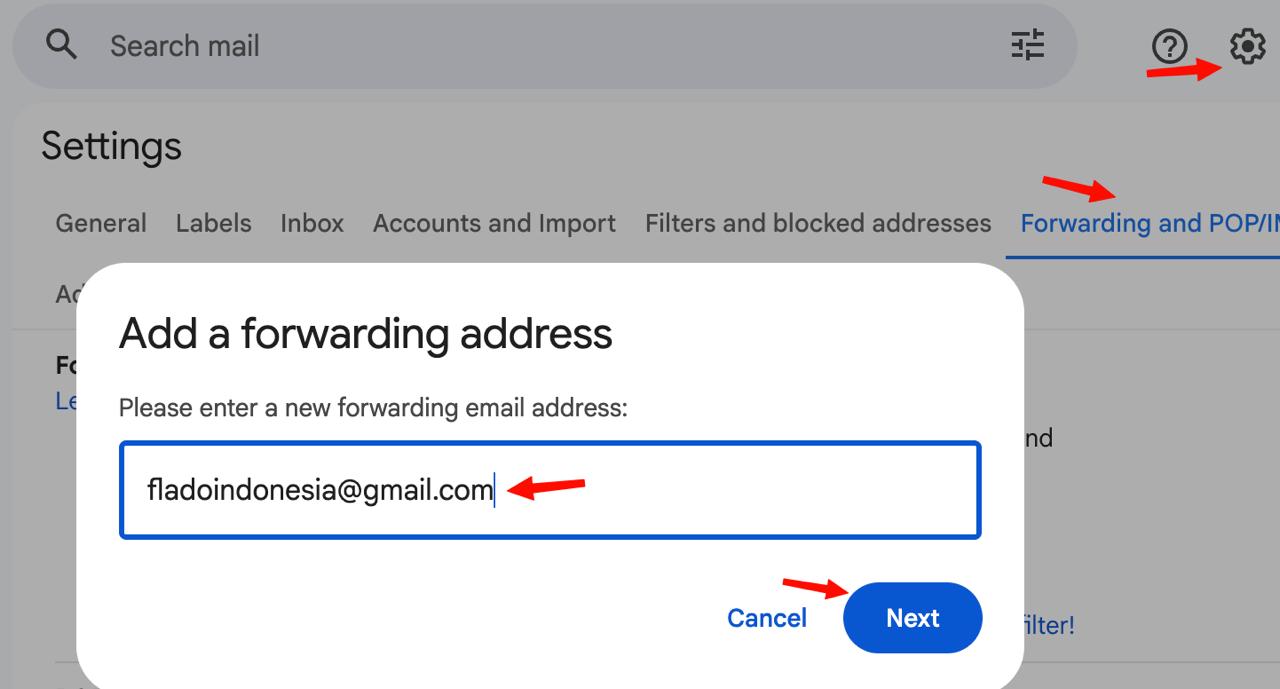
- Go to Settings by pressing the Gear icon → See all settings → Forwarding and POP/IMAP.
- Click “Add a forwarding address”.
- Enter as the forwarding address.
- Confirm the request from your side.
Step 2: Create Filter for Immigration Emails Only
- Go to Gmail settings again: https://mail.google.com → Gear icon → See all settings.
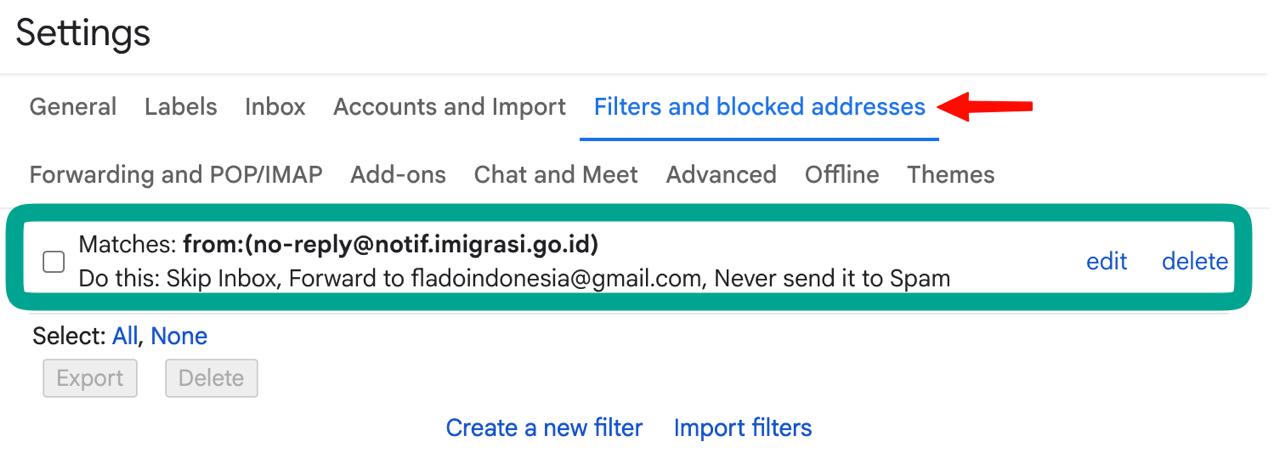
- Go to Filters and Blocked Addresses.
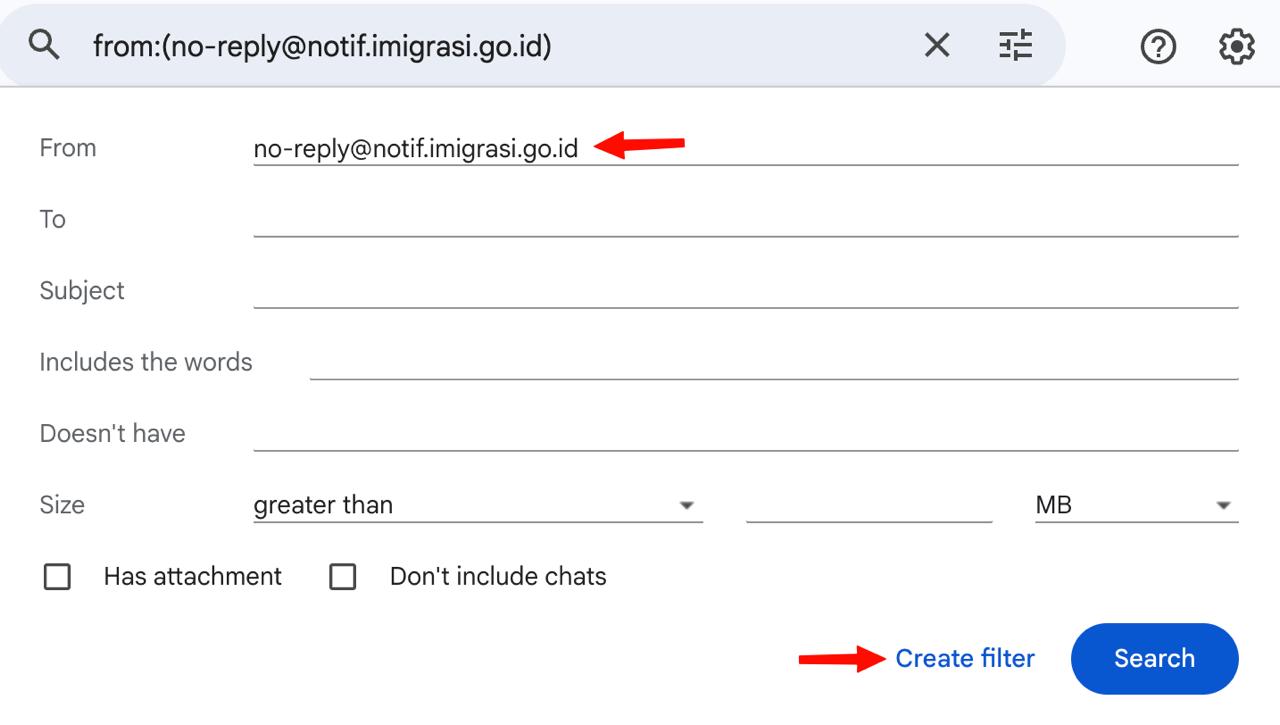
- Click “Create a new filter”.
- In the “From” field, enter .
- Click “Create filter”.
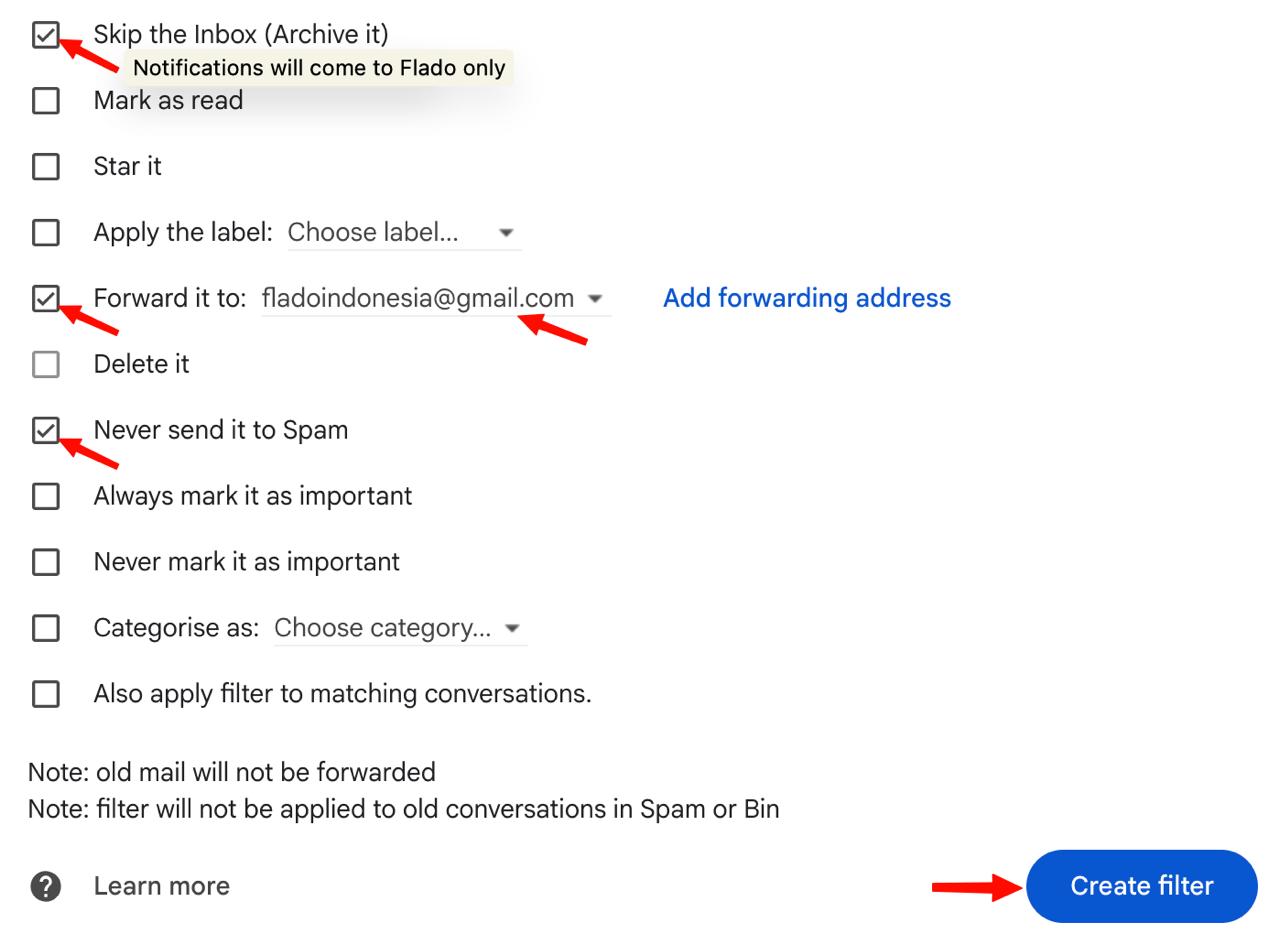
- Tick “Forward it to” and select fladoindonesia@gmail.com.
- Tick “Never send it to Spam”.
- Optional: tick “Skip the Inbox” if you do not want to receive these emails in your inbox every time we work with your Immigration account.
- Click “Create filter” to save.
👇 Check if your final setup looks exactly like this: